TechCo.lab
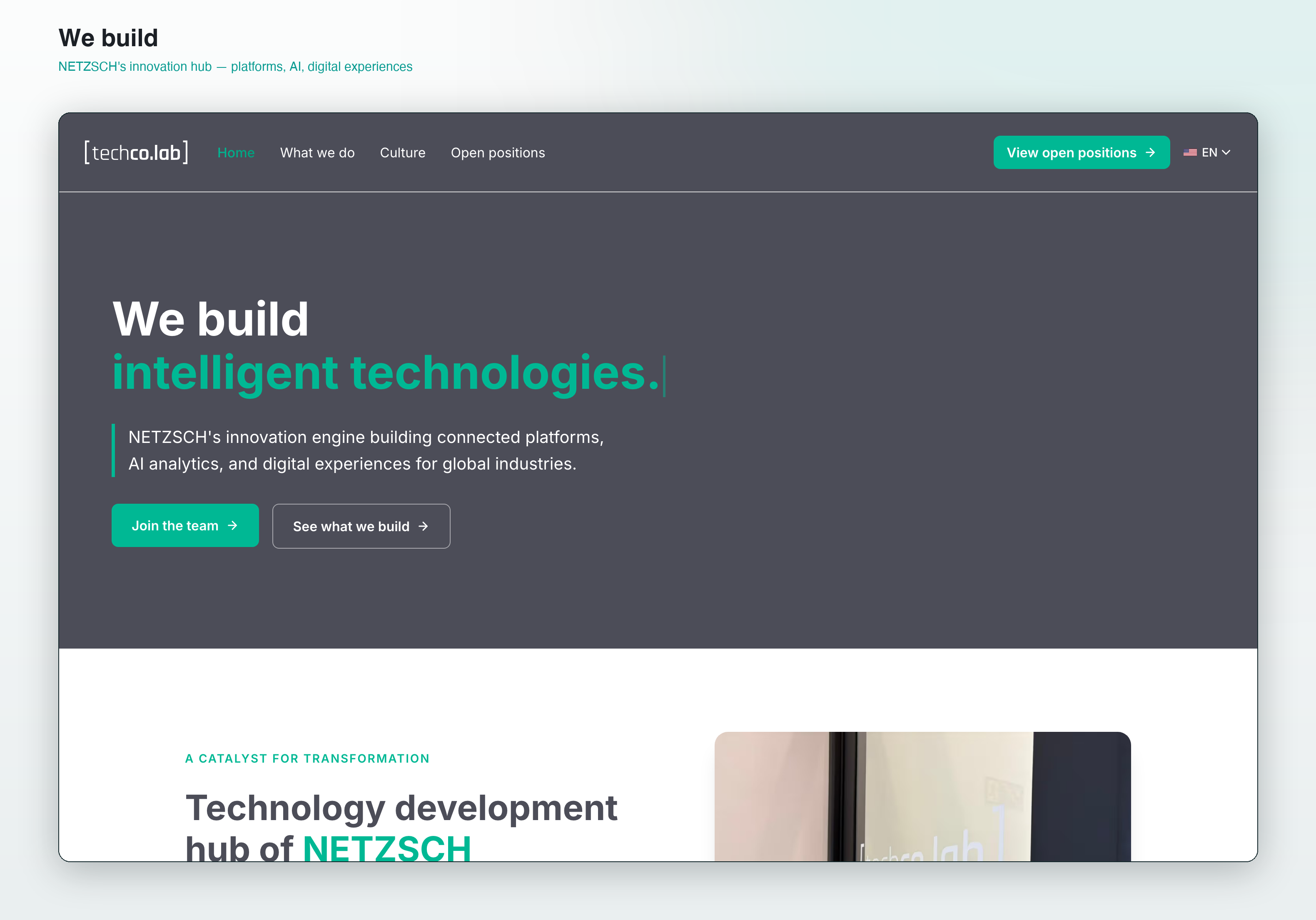
The public site for TechCo.lab, NETZSCH's internal innovation hub. I designed and shipped it end-to-end, no engineering hand-off: concept in Figma, sections in Figma Make, production in clean hand-written code.
We build
- Design → deploy
- Owned
- 0
- Engineering hand-offs
- 98
- Lighthouse
Challenge
TechCo.lab is NETZSCH's innovation hub, and it needed a public site that did two jobs at once: explain what the hub builds (connected platforms, industrial AI, digital interfaces) to the rest of the company, and attract the kind of people who'd want to work there.
The constraint was real: no engineering capacity allocated and a tight window, but the bar was production-quality, not a template. It had to look like the work the hub actually ships.
Approach
I owned the whole stack. Designed in Figma, prototyped the motion-heavy sections in Figma Make, then ported everything to clean hand-written HTML/CSS for the production deploy on Vercel. No CMS, no framework overhead.
The hero leans on a typewriter line, "We build…" cycling through what the hub does, which sets the tone before a single scroll. The rest is a clear arc: capabilities, proof, the physical space, and the numbers (500+ users, 35+ countries, 80+ projects).
Outcome
Live at ntechcolab.com at production polish: 98 Lighthouse, AA contrast, motion that holds up on a phone. It's the reference I point to for designer-owned full-stack, the kind of small-but-real-stakes project where a hand-off would have cost more than it was worth.
Who I designed for
Two audiences on one page. Inside NETZSCH, leadership and other units who need to understand what the hub does and why it matters. Outside, the engineers, designers, and data people the hub wants to hire.
Those pull in different directions: one wants credibility and proof, the other wants culture and ambition. The site resolves it by leading with the work and the numbers, then closing with the place and the people.
The key decision: own the whole stack
The usual path is design in Figma, hand off to an engineer, review, repeat. With no engineering capacity and a tight window, I collapsed that into a single owner: Figma for design, Figma Make to prototype the motion, hand-written code for production.
The typewriter hero and the scroll motion were built directly in code, not faked in a mockup. Owning the deploy meant I could tune performance and contrast myself instead of writing a spec and hoping.
What didn't go well
Figma Make is great for exploring a section fast, but the code it generates is throwaway. I rewrote most of it by hand for the production build, and treating Make as a prototyping tool rather than a code source was a lesson I learned mid-project.
Keeping the motion smooth on mobile took more passes than I expected. The typewriter and scroll effects that felt effortless on a laptop needed real tuning to not jank on a phone.
Selected screens
" AI-assisted tooling lets a designer take a project from sketch to ship without a hand-off cliff. The job shifts from "document what to build" to "build it, and use the document for review." "
Garmin Coach
→JSON-driven training plans generated by an LLM, pushed straight into Garmin Connect.